Multi-Database Management
Connect to PostgreSQL, MySQL, and SQLite databases from a unified interface. Store credentials locally, test connections securely, and switch between database servers instantly with our self-hosted database tool.
The ultimate self-hosted database backup and management tool. Create targeted SQL dumps with pg_dump and mysqldump, restore databases on demand, and import CSV files with live column mapping — all inside your own infrastructure with Docker.
Everything you need for database backup, restore, schema exploration, and data import in one self-hosted tool.
Connect to PostgreSQL, MySQL, and SQLite databases from a unified interface. Store credentials locally, test connections securely, and switch between database servers instantly with our self-hosted database tool.
Generate targeted SQL dumps using native tools like pg_dump and mysqldump. Select specific tables for PostgreSQL and MySQL backups. Restore database dumps on demand with one click.
Import CSV files to your database with intelligent column mapping. Auto-map CSV headers to database schema, import in batches with live progress streaming, and download reject files for failed rows.
Connect to protected databases through secure SSH tunnels without exposing database ports. Built-in tunnel orchestration with connection pooling and automatic idle timeout management.
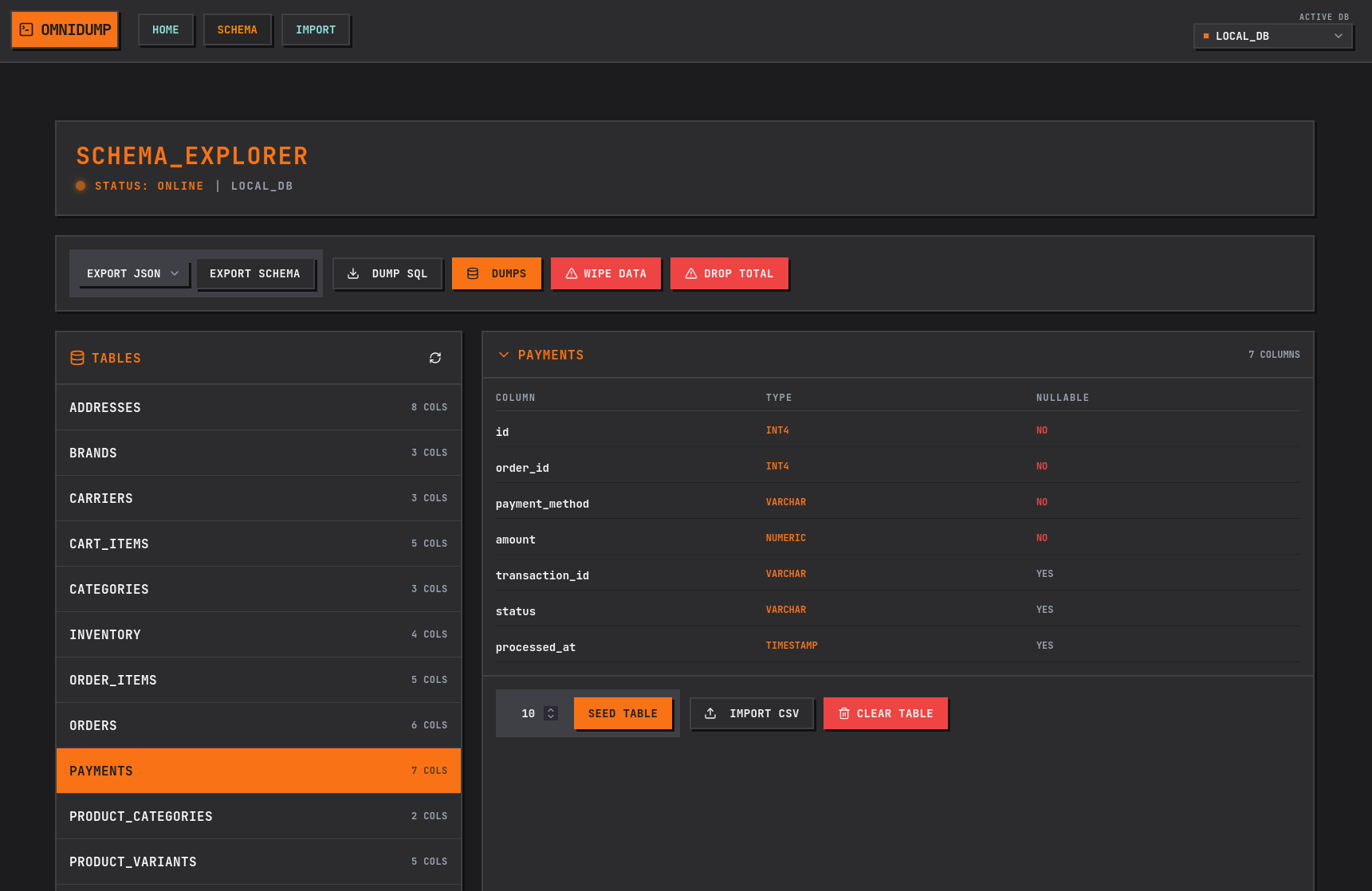
From connecting to your database to backing up and importing data — streamlined workflows for every database operation.
OmniDump is a fully self-hosted database tool that runs inside your infrastructure. No external services, no telemetry, no credential transmission to third parties.
Your data stays in your infrastructure. Credentials and dumps are stored locally in the app volume — nothing leaves your environment.
Connection metadata lives in an app-local SQLite database. Dumps and reject files are written to mounted storage you control.
Connect to protected databases without exposing ports. Built-in tunnel orchestration with idle timeout and connection pooling.
Server paths surface errors explicitly. Path validation on download and delete endpoints prevents traversal attacks.
Runtime image includes pg_dump, mysqldump, sqlite3, and openssh-client. No third-party dump services — native tools only.
Multi-stage Docker build with runtime healthcheck. Compose examples included for production and local sandboxing.
Common questions about OmniDump's database backup, restore, and import capabilities.
OmniDump is a self-hosted database tool that supports PostgreSQL, MySQL, and SQLite. Connection credentials are stored locally in your infrastructure, and you can test connections before saving. Switch between database servers instantly via the global connection selector.
Yes. OmniDump is designed as a self-hosted database management tool that runs inside your infrastructure via Docker or Docker Compose. All data — credentials, SQL dumps, reject files — stays in your environment. There is no cloud-hosted version, ensuring complete data privacy.
When adding a database connection, you can configure SSH tunnel parameters (host, port, user, private key). OmniDump orchestrates the SSH tunnel with connection pooling and idle timeout. Your database port never needs public exposure, making it secure for production databases.
During CSV database import, rows that fail validation or insertion are captured in a reject file. After import completes, you can download the reject CSV to audit and fix the problematic rows. This ensures data integrity and easy error handling.
For PostgreSQL and MySQL databases, yes — select specific tables in the dump modal to create targeted SQL backups. SQLite currently performs a full database dump due to native tool limitations. Dumps are created using pg_dump and mysqldump for maximum compatibility.
No — OmniDump is a database operations tool, not a data browser. It handles backups, restores, and CSV imports, but it's not designed to replace tools like pgAdmin, DBeaver, or TablePlus for querying and viewing your data. Use OmniDump alongside your preferred database client.